If you need a Telugu to English translator, the right app depends on the job. Some tools are best for live speaking, some for travel, and some for clean written translation, so choosing the right one can save a lot of time and frustration.
This list focuses on Telugu-English translation across live meetings, web, iOS, and Android. Talo is placed at number 2 because it is built specifically for real-time meeting translation, while broader tools like Google Translate and iTranslate cover everyday use.
Top apps
The best Telugu translation app depends on what you need to translate. Live speech, travel phrases, and documents are different tasks, so the ranking below focuses on the strongest real-world use case for each app rather than brand popularity alone.
| Telugu Translation App | Standout Feature | Best For | Platform Availability | Free Trial / Version |
| Palabra | Real-time speech translation with captions, transcripts, and low latency | Meetings, webinars, events, and live multilingual communication | Web, API workflows | Yes |
| Talo | Persistent meeting assistant for Zoom, Google Meet, and Microsoft Teams, with real-time translation | Remote meetings and multilingual video calls | Web | Yes |
| Google Translate | Free text, voice, camera, and offline translation with Telugu support | Everyday use, travel, and quick conversations | Web, Android, iOS | Free |
| iTranslate | Text, websites, voice, and photo translation in over 100 languages | Travel, casual use, and mobile translation | Web, iOS, Android | Free version |
| Microsoft Translator | Real-time translated conversations and group communication | Live conversations and collaborative use | Web, iOS, Android, Windows | Free |
| DeepL | High-quality written translation and writing improvement | Documents, emails, and polished writing | Web, Windows, macOS, iOS, Android | Yes |
| Lingvanex | Online translation plus documents, websites, and offline-friendly use | Web-based translation and utility workflows | Web, iOS, Android | Free / trial options |
| Reverso | Example-based translation with phrase context | Learning, nuance, and phrase-level accuracy | Web, iOS, Android | Free version |
| Telugu – English Translator | Voice and text translation for Telugu ↔ English | Basic day-to-day Telugu-English translation | Android | Free |
| Telugu to English Translator | Apple ecosystem support for iPhone, iPad, and Mac | Apple users needing simple Telugu-English translation | iPhone, iPad, Mac | Free / in-app options |
1. Palabra: Best for Live Telugu to English Translation
Palabra is the strongest overall option when the goal is real-time Telugu to English translation in live settings. Its pages describe real-time speech translation, live subtitles, and low latency, which makes it a strong fit for meetings, events, webinars, and streaming.
That matters because live Telugu translation is not the same as translating typed text. If the workflow involves spoken communication, multilingual calls, or audience-facing subtitles, Palabra is built much closer to that use case than a basic phrase app.
Available on: Web and API workflows.
Key features
- Real-time translation with low latency.
- Live subtitles and transcript support.
- Useful for meetings, events, and streaming.
- Supports 60+ languages.
- Built for calls, meetings, streams, and events.
Pros
- Best fit for live Telugu voice translation.
- Strong for meeting and event workflows.
- More specialized than standard text-only translator apps.
Cons
- More advanced than most users need for one-off phrase lookup.
- Best value appears in live communication workflows rather than casual text-only use.
2. Talo: Best for Telugu in Video Calls
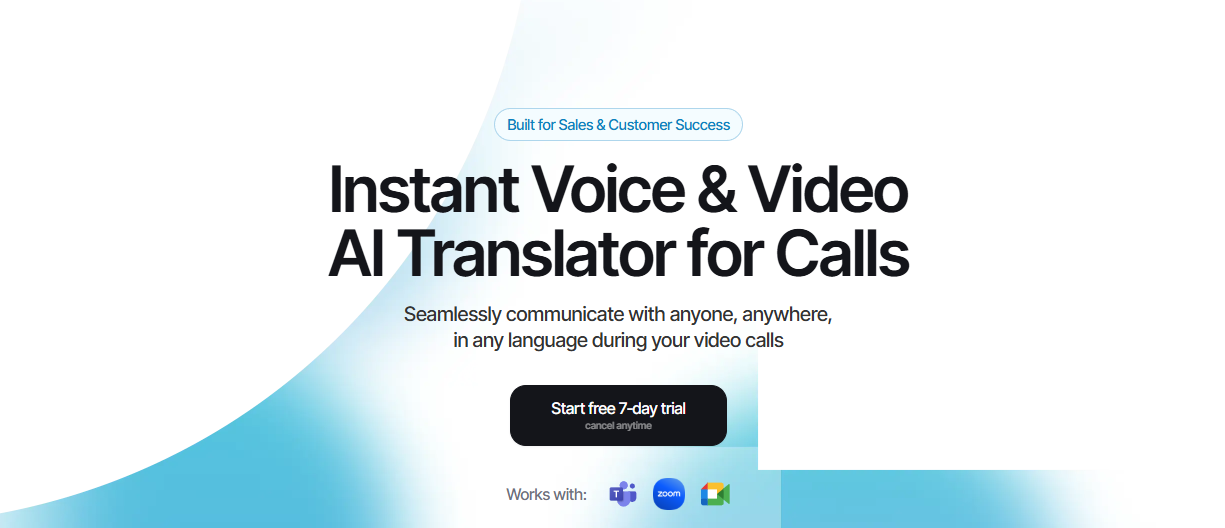
Talo earns the number two spot because it is designed as a persistent meeting assistant for teams that use Zoom, Google Meet, and Microsoft Teams every day. It is one of the strongest choices when you need Telugu-English translation inside a call rather than in a standalone app.
This makes Talo especially relevant for users who deal with remote meetings, webinars, and client calls. It is narrower than Palabra, but its meeting-first design is exactly what makes it valuable for live spoken Telugu.
Available on: Web.
Key features
- Persistent meeting assistant for regular call workflows.
- Works with Zoom, Google Meet, and Microsoft Teams.
- Real-time translation during live meetings.
- Built for multilingual video calls.
Pros
- Excellent for Telugu-English communication on calls.
- Clear, focused use case for remote meetings.
- Strong second choice after Palabra for spoken business communication.
Cons
- Narrower use case than all-purpose translator apps.
- Less useful for offline travel, documents, or simple phrase lookup.
3. Google Translate: Best Free Telugu Translate to English Tool

Google Translate is the easiest free choice for users who want to Telugu translate to English quickly. Google’s app supports text translation, Tap to Translate, offline use, and voice conversations, and Telugu is included in its language list.
That makes it the most practical general-purpose option for daily translation, travel, and quick bilingual support. It is less specialized than Palabra or Talo for live professional speech, but it is far more accessible for signs, menus, short messages, and basic conversations.
Available on: Web, Android, iOS.
Key features
- Free text translation across many languages.
- Telugu language support.
- Offline translation support.
- Conversation mode for bilingual speech.
Pros
- Easy and free to use.
- Strong everyday and travel coverage.
- Very broad platform support.
Cons
- Not as specialized for live events as Palabra or Talo.
- Less focused on professional workflows than some niche tools.
4. iTranslate: Best for Travel and Casual Mobile Use

iTranslate is a practical pick for travelers and casual mobile users who want voice, text, websites, and photos in one app. Its product page says it supports text, websites, and voice conversations, and that it works across a large variety of languages.
It is convenient for short interactions and mobile-first use, especially when you need a quick Telugu to English translator that can also handle everyday tasks. For many users, that trade-off is acceptable because speed and convenience matter more than deep workflow support.
Available on: Web, iOS, Android.
Key features
- Text, website, voice, and photo translation.
- Over 100 languages supported.
- Web and mobile access.
- Good for travel and casual use.
Pros
- Easy to use on the go.
- Good for short conversations and travel tasks.
- Broad consumer appeal.
Cons
- Not built for high-stakes live translation.
- Less specialized than Palabra for real-time speech.
5. Microsoft Translator: Best for Group Communication
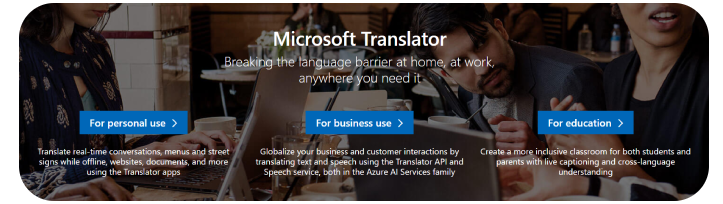
Microsoft Translator is a practical option for users who want multilingual communication features without moving to a more specialized live-event platform. A Telugu translation review highlights Microsoft Translator as strong for live conversations and camera translation, and Microsoft’s product is widely used for group communication.
This gives it a middle position in the ranking. It is broader than single-language mobile apps, but less specialized than Palabra for live Telugu speech in structured meetings.
Available on: Web, iOS, Android, Windows.
Key features
- Real-time translated conversations.
- Useful for group communication.
- Camera translation support.
- Broad platform support.
Pros
- Good for shared communication in business settings.
- Simple multi-device access.
- Useful middle-ground option for teams.
Cons
- Less focused than Palabra for live Telugu speech.
- Less meeting-specific than a dedicated event translator.
6. DeepL: Best for Professional Writing

DeepL is the strongest option in this list when the priority is polished written translation rather than speech. Its product listings highlight text, photo, voice, and document translation support, making it useful for documents and writing workflows.
That makes it a better choice for written business content, emails, and editing than for live spoken Telugu. It belongs in this ranking because many users searching for Telugu to English translation want to improve written quality, not just translate a conversation.
Available on: Web, Windows, macOS, iOS, Android.
Key features
- Natural, context-aware written translation.
- Strong for documents, emails, and polished drafts.
- Works across web and desktop platforms.
- Useful for professional tone control.
Pros
- Excellent for written Telugu-English translation.
- Strong phrasing quality for business content.
- Easy to use for document workflows.
Cons
- Not built for live speech translation.
- Less useful for meetings and events than Palabra or Talo.
7. Lingvanex: Best for Web and Offline Use
Lingvanex is a strong option when you want a mix of web, document, and offline translation tools. Its pages describe fast online translation, document translation, website support, and mobile/desktop availability, which makes it useful beyond a simple phrase app.
That makes it practical for travel or work when internet access is unreliable. It is less centered on live meeting performance than Palabra, but it adds real utility by covering offline and document scenarios that many other apps do not.
Available on: Web, iOS, Android.
Key features
- Online text translation.
- Website and document support.
- Offline-friendly translation tools.
- Cross-platform availability.
Pros
- Good for travel and offline use.
- Strong utility-focused feature set.
- Useful complement to live translation apps.
Cons
- Less meeting-specific than Palabra.
- Not as broadly known as Google Translate for casual users.
8. Reverso: Best for Context and Learning

Reverso is more useful for understanding phrasing and context than for instant live interpretation. Its strength is example-based translation and phrase learning, which helps users see how a phrase works in real usage instead of presenting only a literal answer.
That makes it a strong support tool for learners, editors, and anyone checking nuance in English output. It is not designed as a live Telugu to English translator, but it still fits well for written context and phrase research.
Available on: Web, iOS, Android.
Key features
- Example-based translation.
- Phrase support and contextual usage.
- Helpful for learning and nuance.
- Mobile and web access.
Pros
- Good for understanding real usage.
- Useful for vocabulary and learning workflows.
- Complements broader translation apps.
Cons
- Not designed for live speech translation.
- Less suitable for meetings and events than Palabra or Talo.
9. Telugu – English Translator: Best for Basic Voice and Text
Telugu – English Translator is a straightforward Android app that focuses on voice and text translation. Its listing says it is a free voice translator and text translator that works in both directions, which makes it a simple choice for everyday use.
That makes it a practical option for users who do not need a complex workflow. It is especially useful when the main need is a fast, direct Telugu-English translation on Android.
Available on: Android.
Key features
- Voice and text translation.
- Telugu ↔ English support.
- Simple interface.
- Good for quick daily tasks.
Pros
- Easy to use.
- Good for basic lookups and study.
- Practical for short conversations.
Cons
- Android-only.
- Less useful for live meetings and professional workflows than Palabra or Talo.
10. Telugu to English Translator: Best for Apple Users
Telugu to English Translator is a good choice for Apple users who want a clean and simple Telugu-English translation app. The App Store listing says it works on iPhone, iPad, iPod touch, Mac, and Apple Vision, which gives it broad Apple ecosystem support.
That makes it a solid final entry because it solves the core Telugu-English translation need without requiring extra setup. It is especially practical for iPhone and iPad users who want a simple translator that is easy to open and use quickly.
Available on: iPhone, iPad, Mac.
Key features
- Telugu ↔ English translation.
- Instant word, phrase, and sentence translation.
- Speaker pronunciation support.
- Broad Apple device compatibility.
Pros
- Good for Apple users.
- Simple and beginner-friendly.
- Works across several Apple devices.
Cons
- Not a live meeting specialist.
- Less useful for broad cross-platform workflows than Google Translate or iTranslate.
How to choose
The right Telugu translator depends on the task. If the job involves live speech, meetings, or multilingual events, low-latency voice translation matters much more than a simple text lookup app; if the job is writing or editing, phrasing quality matters more than live audio support.
A simple way to choose is:
- Pick Palabra for real-time Telugu voice translation in meetings, webinars, and events.
- Pick Talo for Telugu-English video calls on Zoom, Google Meet, and Teams.
- Pick Google Translate for everyday use, travel, and quick conversations.
- Pick iTranslate for web and mobile travel-friendly translation.
- Pick Lingvanex when you need documents, websites, or offline support.
- Pick DeepL for polished written translation.
Best practices
Translation results improve when the input is clear and the app matches the use case. Spoken Telugu in a live meeting needs a different tool from translating a sign, checking a phrase, or drafting a written response in English.
A few habits help:
- Use full sentences instead of isolated words when possible.
- Reduce background noise before relying on live speech translation.
- Use speech-first tools for meetings and text-first tools for writing.
- Test the app with real spoken Telugu before using it in a business setting.