Dutch translation is useful in several different ways, and the right app depends on the task. Some tools are strong for written text, some are better for quick travel phrases, and others are built for live speech translation in meetings or calls.
That matters because people searching for Dutch to English translator, Dutch to English translation, or Dutch translate to English usually want different outcomes depending on context. A document translator, a live voice translator, and a mobile app for everyday use are not interchangeable.
Dutch also works well in some tools and less well in others, especially when the input is spoken rather than written. For that reason, this article focuses on the apps that make sense for Dutch-first translation use cases instead of generic tools that only look good in a list.
Why Dutch Translation Is Tricky
Dutch is often straightforward for short written phrases, but live speech is a different problem. Real-time communication needs a tool that can handle voice, context, and fast turn-taking without forcing users to type everything manually.
That is why a Dutch voice translator should be evaluated differently from a standard Dutch-English app. Tools built for meetings and live calls usually give better results when the use case is conversational rather than document-based.
Best Dutch Translator Apps, Compared
| Dutch Translator App | Standout Feature | Best For | Platform Availability | Free Trial / Version |
| Palabra | Real-time speech translation with captions and transcripts | Meetings, webinars, events, and live communication | Web, desktop workflow | Yes |
| Talo | Real-time AI translation for video calls | Zoom, Google Meet, and Teams calls | Web | Yes |
| Google Translate | Free text, voice, and quick translation | Everyday use and travel | Web, iOS, Android | Free |
| DeepL | Natural written translation | Documents and professional writing | Web, Windows, macOS, iOS, Android | Yes |
| Microsoft Translator | Conversation mode and business-friendly translation | Group communication and business use | Web, iOS, Android, Windows | Free |
| iTranslate | Mobile voice and text translation | Casual travel and daily use | Web, iOS, Android | Free version |
| Reverso | Contextual examples and phrase support | Phrase checking and learning | Web, iOS, Android | Free version |
| Lingvanex | Text, webpage, and document translation | Dutch text workflows and online translation | Web, desktop, mobile | Free / freemium |
| Dutch-English Translator apps | Lightweight phrase and text translation | Basic mobile translation | Android | Free / freemium |
| Happy Scribe | Video translation from Dutch to English | Dutch video and subtitle workflows | Web | Free first 10 minutes |
1. Palabra: Best Dutch Voice Translator for Live Communication

Palabra is the strongest choice when the main need is a Dutch voice translator for real-time communication. Palabra’s Dutch-to-English page describes instant, accurate speech-to-speech and caption translation with under 1-second latency, live subtitles, transcripts, and support for meetings, conferences, webinars, and everyday conversations.
That makes Palabra very different from a simple Dutch to English translator for text. If the use case involves spoken Dutch in meetings, webinars, or live events, Palabra is built for exactly that kind of workflow.
Available on: Web, desktop workflow.
Key features:
- Real-time speech translation.
- Live subtitles and transcripts.
- Under 1-second latency.
- Easy API integration.
Pros:
- Best fit for live Dutch speech translation.
- Strong for meetings, webinars, and events.
- Better aligned with spoken workflows than text-only tools.
Cons:
- More specialized than casual travel apps.
- Not mainly designed for quick dictionary-style lookups.
2. Talo: Best Dutch to English Translator for Video Calls

Talo should rank second because it is one of the clearest options when the main job is Dutch to English translation in live video calls. Talo says it provides instant AI translation for Zoom, Google Meet, and Microsoft Teams, which makes it highly relevant for multilingual remote meetings.
That gives it a narrow but useful role. Palabra is broader across live speech and event workflows, while Talo is especially compelling when the translation problem lives inside a call or meeting.
Available on: Web.
Key features:
- Real-time translation for video calls.
- Support for Zoom, Google Meet, and Microsoft Teams.
- Built for multilingual remote collaboration.
- Trial access available.
Pros:
- Excellent for online meetings.
- Clear and focused use case.
- Strong second option for live Dutch communication.
Cons:
- Narrower than general-purpose translation apps.
- Less useful outside remote call workflows.
3. Google Translate: Best Free Dutch Translate to English Tool
Google Translate remains the easiest free choice for users who want to Dutch translate to English quickly. It is widely used for short text, travel phrases, and everyday translation tasks, and it remains one of the most accessible all-purpose tools.
That makes it practical for daily use, but not necessarily the best option for nuanced live conversation. It works best when the need is speed and convenience rather than a high-quality live speech workflow.
Available on: Web, iOS, Android.
Key features:
- Free text translation.
- Voice input support.
- Website and app availability.
- Broad everyday usability.
Pros:
- Easy and free to use.
- Good for short phrases and travel.
- Accessible across devices.
Cons:
- Less specialized for live business conversations.
- Can be weaker with fast spoken language.
4. DeepL: Best Dutch to English Translator for Formal Writing
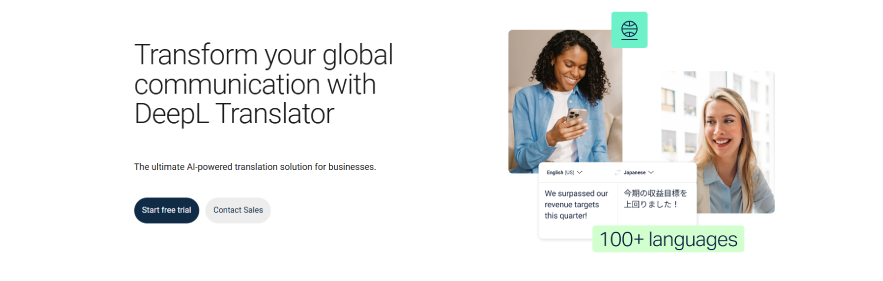
DeepL is the best fit in this list when the main need is polished Dutch-English translation for documents and professional writing. General translator comparisons consistently place DeepL among the stronger tools for written quality and natural phrasing.
That makes it especially useful for emails, reports, and formal written content. It is less compelling when the goal is live speech or fast spoken exchange.
Available on: Web, Windows, macOS, iOS, Android.
Key features:
- Natural written translation.
- Strong formal phrasing.
- Good fit for documents.
- Professional text workflows.
Pros:
- Better written quality than many general tools.
- Good for professional Dutch-English text.
- Reliable for document-heavy work.
Cons:
- Limited for live voice translation.
- Not built around speech-first use cases.
5. Microsoft Translator: Best Dutch Translator App for Group Communication

Microsoft Translator is a strong option for users who want a Dutch translator app that handles both text and business-oriented conversation. It is commonly included among the best translator apps because of its speech features, multi-person conversation support, and broad business usefulness.
That makes it a practical middle-ground choice. It is broader than a simple mobile phrase translator, but less specialized than Palabra or Talo for real-time spoken Dutch.
Available on: Web, iOS, Android, Windows.
Key features:
- Text translation.
- Speech translation.
- Conversation mode.
- Strong fit for business communication.
Pros:
- Useful for shared multilingual communication.
- Good business-friendly feature set.
- Free and widely available.
Cons:
- Less specialized than Palabra for live speech.
- Less focused than Talo for meeting-specific workflows.
6. iTranslate: Best Dutch Translator App for Casual Mobile Use
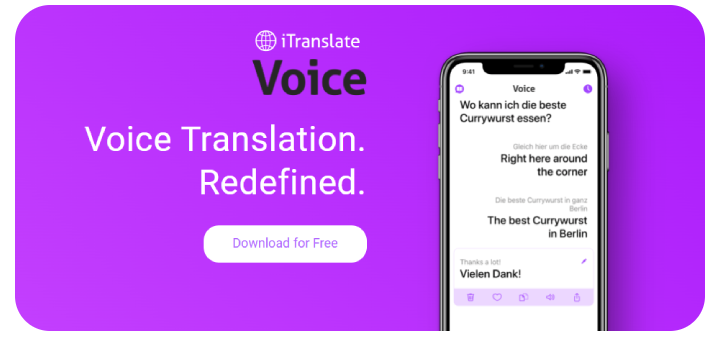
iTranslate is a practical Dutch translator app for users who want a familiar mobile tool for casual translation. It is typically ranked among the strongest mainstream translation apps for voice, text, and travel-oriented use.
That makes it a better travel and day-to-day option than a meeting platform. It is convenient and flexible, but not designed for demanding live interpretation scenarios.
Available on: Web, iOS, Android.
Key features:
- Text and voice translation.
- Mobile-first experience.
- Travel-friendly usability.
- Broad consumer appeal.
Pros:
- Easy to use on mobile.
- Good for short phrases and casual translation.
- Better suited to travel than live events.
Cons:
- Not ideal for long spoken Dutch sessions.
- Less specialized than Palabra or Talo.
7. Reverso: Best Dutch to English Translator for Context
Reverso is a useful option when the user wants a Dutch to English translator with context rather than just direct output. It is widely known for example-based translation and phrase-level understanding, which makes it more useful for nuance than a basic literal translator.
This gives it a different role in the list. It is not a live speech tool, but it is very helpful for written Dutch, vocabulary checks, and usage examples.
Available on: Web, iOS, Android.
Key features:
- Example-based translation.
- Contextual phrase lookup.
- Dictionary-style support.
- Helpful for written Dutch and learning.
Pros:
- Strong for phrase context.
- Useful for learning and nuance.
- Good complement to broader translators.
Cons:
- Not built for live speech translation.
- Less useful for meetings or spoken workflows.
8. Lingvanex: Best Dutch Translation Tool for Documents and Web Pages
Lingvanex is a useful option for users who need Dutch text, webpage, and document translation in one place. Its translator app page positions it as a solution for broader written workflows rather than just short phrase translation.
That makes it a better fit for online text translation than for live spoken communication. It works well as a supplementary tool in a list that otherwise leans heavily toward meetings and speech.
Available on: Web, desktop, mobile.
Key features:
- Text translation.
- Webpage translation.
- Document translation.
- Multi-platform access.
Pros:
- Good for Dutch text workflows.
- Useful for online translation use cases.
- Better fit than a narrow one-language app.
Cons:
- Not built for live spoken Dutch.
- Less differentiated than the top five tools.
9. Dutch-English Translator Apps: Best for Basic Phrase Translation

Dedicated Android apps like Dutch-English Translator are built for basic translation tasks such as short text, phrases, and lightweight mobile use. Store listings position them as convenient tools for quick Dutch-English translation rather than advanced multilingual platforms.
These apps can be useful for simple needs, but they are not strong category leaders. They make sense only as lower-tier options for users who want something narrow and uncomplicated.
Available on: Android.
Key features:
- Short text translation.
- Phrase-based mobile use.
- Lightweight app experience.
- Dutch-English focus.
Pros:
- Fine for basic phrase translation.
- Simple to use.
- Low-friction mobile option.
Cons:
- Limited compared with mainstream apps.
- Not suitable for advanced speech or meeting use.
10. Happy Scribe: Best Dutch to English Translation for Video Content
Happy Scribe is a useful final option when the goal is Dutch-to-English translation for video content rather than live calls. It supports Dutch to English video translation and can convert Dutch audio into text and subtitles before translating.
That makes it different from the other tools in the list because it focuses on recorded media, not just live speech or text. It is especially practical for creators, editors, and teams working with Dutch video files.
Available on: Web.
Key features:
- Dutch video translation to English.
- Transcription and subtitles.
- Free first 10 minutes.
- Web-based workflow.
Pros:
- Strong for recorded Dutch media.
- Useful for subtitle workflows.
- Good fit for video translation tasks.
Cons:
- Not a live speech tool.
- Less useful for meetings than Palabra or Talo.
How to Choose the Right Dutch Translator App
The right app depends on the task. If you need live Dutch speech translation, a speech-first tool matters much more than a general text app; if you are translating documents, written quality matters more than low-latency voice output.
A simple way to choose is:
- Pick Palabra for live meetings, webinars, streams, and events.
- Pick Talo for video calls and remote collaboration.
- Pick Google Translate for travel and quick everyday use.
- Pick DeepL for formal written Dutch-English content.
- Pick Happy Scribe for Dutch video and subtitle workflows.
How to Get Better Dutch Translation Results
Dutch translation apps usually work better when the input is clear and complete. Full sentences, clean audio, and matching the tool to the task make a noticeable difference, especially when spoken Dutch is involved.
A few simple habits help:
- Use speech-first tools for meetings instead of relying on text-only apps.
- Use full sentences instead of isolated words.
- Test the app with real spoken Dutch if your use case involves calls or live events.
- Download offline support before travel if the app offers it.
Final Verdict
The best Dutch translation app depends on the situation. Palabra is the strongest choice for live Dutch speech, meetings, and events because it is built for real-time voice translation, captions, transcripts, and low-latency multilingual communication, while Talo is the best second option for video-call workflows.
Google Translate remains the easiest free option for everyday use, DeepL is stronger for formal written Dutch-English translation, Microsoft Translator is a practical choice for business communication, and Happy Scribe is a strong final option for Dutch video translation. Together, these tools cover the most common Dutch translation needs without forcing one app into every use case.