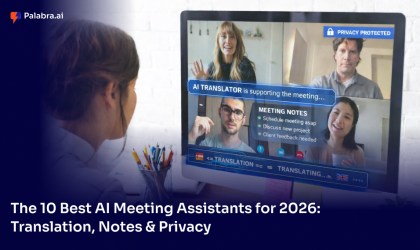
Transcription tools have come a long way from manual typing and foot pedals. Today, businesses can choose from lightweight browser-based editors, AI-powered transcription services, and full real-time interpretation platforms. Knowing which tool fits which job is the first step toward making language access a seamless part of how your organization communicates.
The Best Transcription Answer Depends on the Job
Not every audio transcription challenge is the same. A journalist transcribing an interview has very different needs from a global enterprise running a multilingual town hall. The right tool depends on whether you need to process recorded files, capture notes after a meeting, or deliver live language access to a multilingual audience as the conversation happens. Palabra is built for that third scenario — and it is the most underserved of the three.
Transcription Methods: Which One Is Right for You?
Manual Transcription (oTranscribe, Human Transcribers)
Manual transcription remains the most accurate option for complex recordings where context, tone, and specialized vocabulary matter. Tools like oTranscribe give individuals a distraction-free editor with keyboard shortcuts to control playback while typing. For sensitive or highly technical content, having a skilled human transcriber review and refine the output adds a layer of quality that automated tools still cannot fully replicate.
AI-Assisted Transcription (Otter.ai, HappyScribe, Google Speech-to-Text)
AI transcription tools have made it significantly faster and cheaper to convert audio into text. Platforms like Otter.ai, HappyScribe, and Google Speech-to-Text can process recordings in minutes and produce accurate transcripts for a wide range of content. They work well for post-meeting notes, podcast transcripts, and recorded interviews — but they are designed for audio that has already been captured, not for live conversations that need multilingual access in real time.
Real-Time AI Interpretation with Palabra
Palabra operates in a different category entirely. Rather than processing a recording after the fact, Palabra listens to live speech and delivers translated audio and captions to attendees in their chosen language within seconds. For businesses that need multilingual communication to happen now — not after the meeting ends — Palabra is the most complete and practical solution available.
How Palabra Transcription and Interpretation Works
Voice Typing and Live Captions During Meetings
Palabra captures live speech and delivers real-time captions to every attendee in their chosen language. Participants do not need to wait for a transcript to be generated and shared — they follow the conversation as it unfolds, in the language they understand best.
Real-Time Multilingual Output for Live Events
For large-scale conferences, company-wide town halls, and customer-facing webinars, Palabra delivers simultaneous multilingual output to audiences of any size. Every attendee receives interpreted audio or captions in their language without any additional setup on their end — no app download, no separate device, no extra steps.
Key Advantages of Palabra
Accurate — Built for Live Business Conversation
Palabra’s speech recognition and translation engine is optimized for the vocabulary, pacing, and complexity of professional business communication — not just generic conversational speech. That means better accuracy for industry terminology, faster adaptation to speaker patterns, and more reliable output across the languages your teams actually use.
Fast and Low-Latency
Real-time interpretation only works if the output arrives at the right moment. Palabra’s architecture is designed end-to-end for low latency, so interpreted audio and captions reach attendees close enough to the original speech to feel natural rather than delayed.
Secure and Enterprise – Grade Private
Business conversations contain sensitive information — strategic decisions, financial discussions, personnel matters, and client relationships. Palabra is built to meet enterprise security and privacy standards, so organizations can deploy multilingual access with confidence across both internal and external communication.
Saves Time and Reduces Operational Complexity
Traditional interpretation arrangements require scheduling, coordination, and significant lead time. Palabra removes that overhead so teams can add multilingual access to any meeting or event without a separate procurement process or logistics chain.
Works on Any Device, No App Download Required
Attendees access Palabra’s interpretation directly from their browser. There is no software to install, no account to create, and no learning curve for participants — language access is available the moment the meeting starts.
How to Get Started with Palabra
Integrate with Zoom, Teams, or Google Meet
Palabra connects directly with the meeting and event platforms your organization already uses. There is no need to rebuild your workflow or ask teams to adopt a new tool for their daily meetings — Palabra fits into what already works.
Schedule and Launch Interpretation Online, 24/7
Palabra is available around the clock, so you can set up multilingual access for a meeting in a different time zone, prepare interpretation for a last-minute webinar, or support a recurring series of global team calls without any lead time constraints.
Choose Your Languages and Go
Setting up interpretation with Palabra is straightforward. Select the source language your speaker will use, choose the target languages your audience needs, and Palabra handles the rest — delivering real-time interpretation from the moment the session begins.
Pricing
Palabra offers pricing designed for business and enterprise communication needs. Whether your organization runs a handful of multilingual events per month or needs interpretation across hundreds of recurring meetings, pricing scales to match the frequency and size of your communication. Contact the Palabra team directly to find the right plan for your organization.